



How to Log in to BetOnGame?
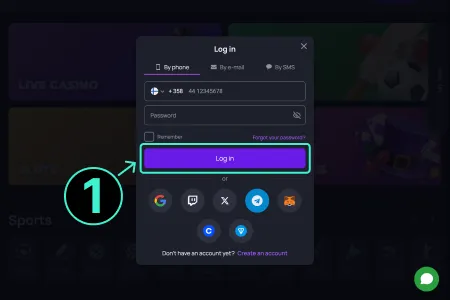
Logging into BetOnGame is very simple. BetOnGame implements OAuth 2.0 authentication with session tokens valid for 24 hours. Login is possible from a browser or through the mobile app.
How to Create an Account on BetOnGame?
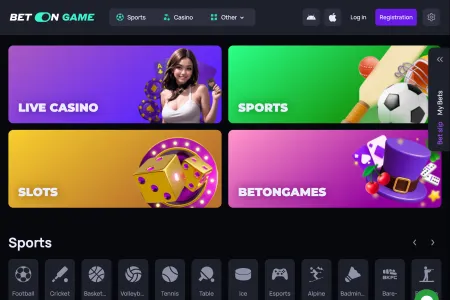
Each method is easy to follow. New bettors can choose their suitable registration method and create an account following these steps:
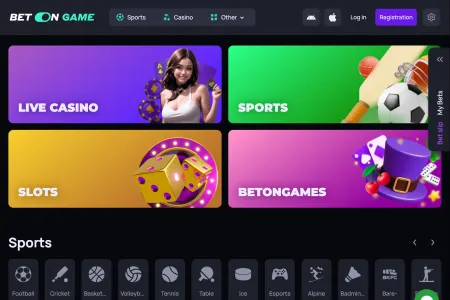
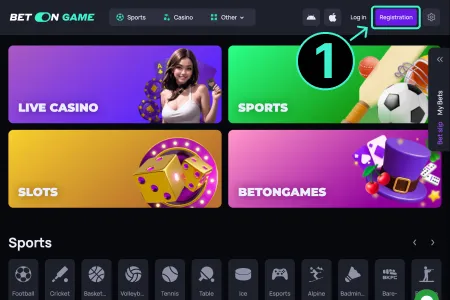
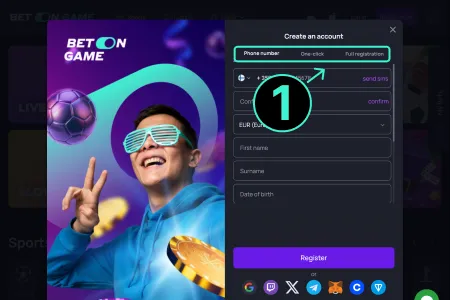
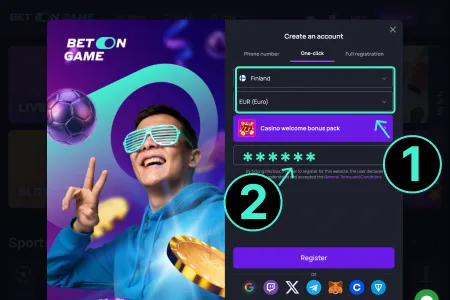
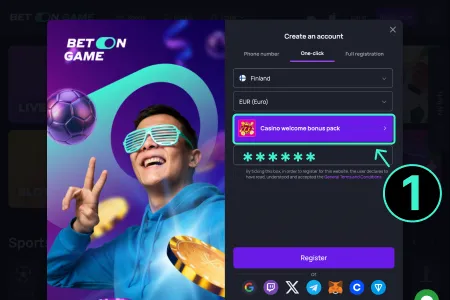
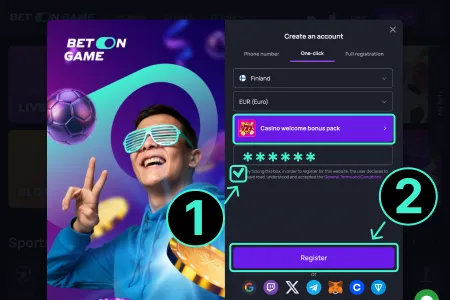
The registration process works smoothly on all types of devices. But, to have a hassle-free account registration, players should check the system requirements for their devices:
| Device Type | Minimum OS/Software | RAM | Storage Space | Internet Requirement |
| Android Devices | Android 7.0 or higher | 3 GB | 150 MB (If app used) | Stable 3G/4G or Wi-Fi |
| iOS Devices | iOS 12.0 or higher | 2 GB | No install needed | Stable 3G/4G or Wi-Fi |
| Desktop/Laptop | Windows 7/8/10/11 | 4 GB | No install needed | 2 Mbps or higher broadband |
| Browser Access | Chrome, Firefox, Edge | 2 GB | N/A | Reliable internet connection |
Login to BetOnGame via Mobile Phone
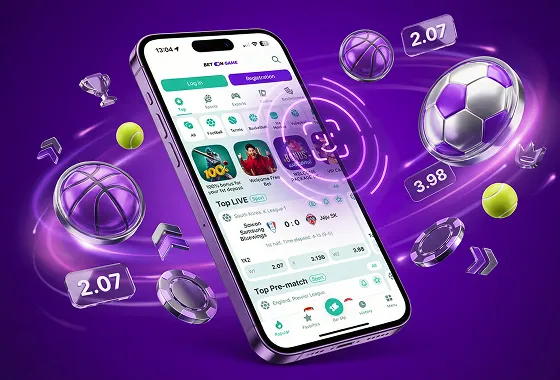
BetOnGame mobile login is a convenient way to access the site with mobile devices. For this, players need to download the mobile app first. The BetOnGame login app download process is simple. Android users can get the APK file from the official website, and iOS users can use the site in a PWA (Progressive Web App) form.
For the APK file, visit the official website and scroll down to the bottom. From there, tap on the “Download for Android” button to download the APK file. After downloading, go to phone settings and enable the installation of apps from unknown sources. Then install the APK file.
For iOS devices, follow the same process and press the “PWA” button. Then press the “Share” option and add the app to the home screen. The app will appear on the home screen. Tap to open it, and it will work like a normal app.
Mobile bettors can access their account with a mobile phone in two different ways: 1) via a mobile browser or 2) via the mobile app. Here are the steps:
- Open any mobile browser like Chrome or Safari. If the mobile app is already installed, then open the mobile app.
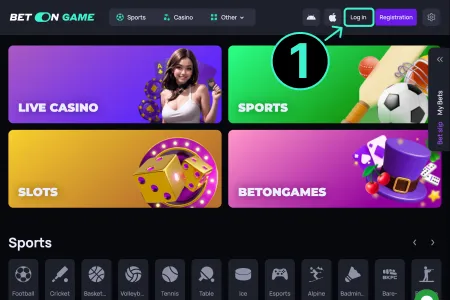
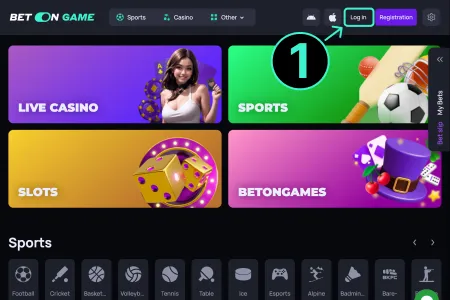
- There is a login button on the top bar; click on it.
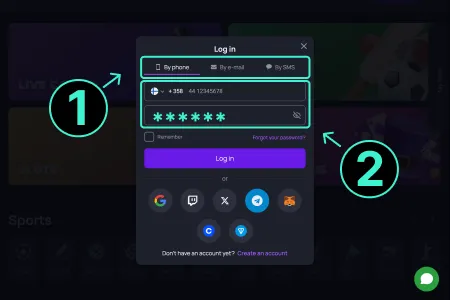
- Choose a login method: a) with username or password, b) with phone number, or c) with email address.
- Depending on the method, fill in the login form.
- Then click on the “Login” button below. It will open the account dashboard.
BetOnGame Login App Features
The BetOnGame mobile app is built to provide a smooth betting experience on the mobile devices. It allows full access to the account and place bets anytime from anywhere. Here are the main benefits of using this app:
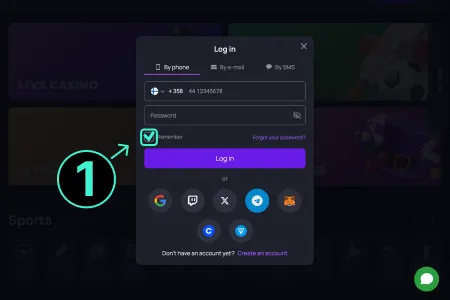
- Quick Access: It keeps players logged in all the time.
- Fingerprint Login: Android users can use a fingerprint to log in easily.
- One-Tap Login: The app saves login info. Enter the account with just one tap after logging once.
- Quick Deposit or Withdraw: With the app, punters can easily deposit or withdraw their funds anytime.
- Supports All Game Modes: Gamblers can play casino, sports, or live games. All the features are available in the app.
- Fast App Updates: The app gets updates often to add new features and wagering options.
Login Requirements and Account Verification
To use the BetOnGame login online features, every user must follow some basic rules. Users need to give a valid mobile number or email while opening a BetOnGame account. This is used to get login codes or reset the password. It also keeps the account safe. Users should also use a strong password containing both letters and numbers. This makes it harder for others to break into the account.
Verification is also needed before using all features like deposits or withdrawals. For account verification, users need to send a clear photo of their NID card, passport, or driving license. The site checks if the name is the same as the account. The process usually takes one day.
To join the platform, players must be 18 or above. If anyone gives fake documents or wrong details, the account will be blocked. The site is widely available in 50 different countries including many Asian countries like India, Pakistan, Sri Lanka and more. But people from other countries can use VPN to use the site.
Security and Safety Precautions
BetOnGame keeps player safety a top priority. The site uses strong tools to keep account data and funds safe. Every player needs to follow some simple safety steps to stay safe. After logging in, it is better to turn on extra security. Here are some safety tips to keep the account secure:
- Set Up Two-Factor Authentication (2FA)
This adds more safety to the account. After typing the password, an OTP code is sent to the phone number or email. Enter that code to log in. This way, the BetOnGame login stays safe even if someone knows the password.
- Follow the Security Rules
Do not create more than one account. Do not log in from random devices. Stay away from public computers. Always use the official login page. If the rules are broken, the account can get locked or blocked.
- Protect Your Account Information
Never tell anyone the login ID or password. Do not click on messages that ask for private details. The BetOnGame support team does not ask for passwords.
- Use a Strong and Unique Password
Make a password with 8 or more characters. Use small and big letters, numbers, and symbols. Do not use names, birthdates, or easy words as password.
Following these steps help to keep the account safe from account hacking, cheating, and losing funds. BetOnGame is safe, but full safety only works when the players follow these security rules.
Troubleshooting Login Problems
Sometimes players cannot log in to their BetOnGame account. These problems are common and can be fixed easily. Most of the issues happen for wrong passwords, login mistakes, or app not working. These issues are not serious and they have easy solutions. The table below shows the common login issues and the simple solutions:
| Problem | Reason | Solution |
| Incorrect password | Wrong typing or forgotten password | Use “Forgot Password” option on the BetOnGame login page to reset. |
| Account not found | Wrong phone number or email used | Double-check registration information. Try logging in with the correct details. |
| 2FA code not received | Network delay or incorrect number/email | Wait a bit, check spam box, or resend the code. |
| App not opening | Outdated version or device issue | Reinstall app from official BetOnGame login app download link. |
| Site not loading | Internet connection problem | Check Wi-Fi or mobile data. Use a stable internet connection. |
| Blocked account | Too many failed login attempts or rule break | Contact customer support team for help. |
| Login session expired | Inactive for too long | Refresh page or reopen app and log in again. |
| Error message after login | Server update or technical issue | Wait for a few minutes or hours. Then try logging in again. |
Post-Login Features and Account Functions
Once the BetOnGame online casino free login is done, it will show the account dashboard. All account features are in one place. It shows wagering options, account balance, bonuses, and all other options.
Sections are easy to browse. Balance can be checked and personal details can be changed anytime. It is simple for both new and old players. This table shows all the post login features and their description:
| Dashboard | The main screen showing your balance, active bets, and some most used options. |
| My Profile | Update profile name, email, phone number, and other personal information. |
| Deposit/Withdraw | Manage all money transfers easily through local payment methods. |
| Bonuses & Promotions | View active offers, bonus options, and claim available rewards. |
| Bet History | Track all your past bets, wins, losses, and their details. |
| Live Betting | Access real-time odds and place live bets quickly. |
| Casino Section | Play slots, table games, and live casino games. |
| Settings | Change language, odds format, and app preferences. |
| Responsible Gaming Tools | Set deposit limits or self-exclusion options for better control. |
How to Make Your First Bet After Login?
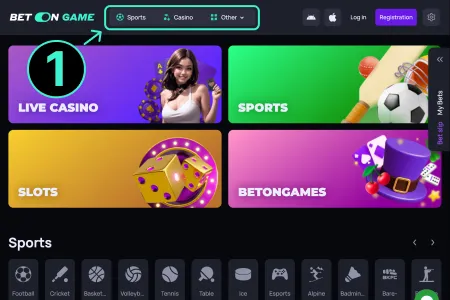
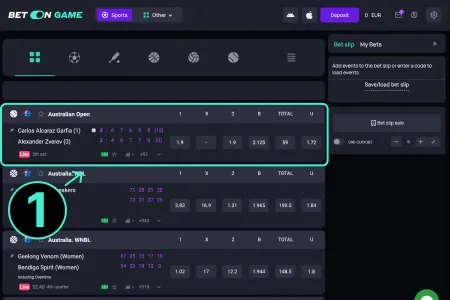
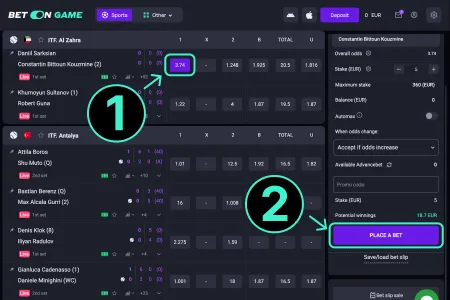
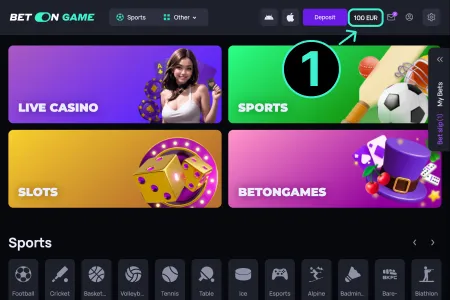
After BetOnGame casino login, it is very simple to place bets. BetOnGame made the whole process easy for new users. They can make a deposit and start betting right away. Follow this easy guideline to start betting on BetOnGame:

How to Access BetOnGame if Site is Blocked?
Sometimes, BetOnGame’s main website may be blocked in certain regions. This happens because of local internet rules or government decisions. But it is easy to fix. There are safe ways to keep using the site. Use a mirror sites or a VPN to access the site. Here are detailed solutions:
- Using Mirror Sites
Mirror sites are copies of the BetOnGame website. The web address is different, but everything else is the same. These sites are maintained by BetOnGame official team. Players use mirror sites when the main site does not open.
- VPN Recommendations
A VPN hides the real location of the user. It connects through another country’s server. This allows safe use of the site by hiding the real location.
- Alternative Access Methods
Some players use browser add-ons or apps made for safe access. BetOnGame also gives backup links on its official pages. These help when the main site is blocked.